Compliance Copilot is an AI agent built into Accountable. It understands your organization's data and can take action across your compliance program — drafting policies, answering risk assessment questions, managing vendors, onboarding employees, building remediation plans, and more.
What makes it different
A normal chatbot answers questions in a vacuum. Copilot reads your actual organization profile, employees, vendors, policies, locations, assessments, training status, and incident history — and it can use the same tools your team uses inside the product.
Understands your company
Reads your org's real state, not just generic HIPAA text.
Takes real actions
Drafts policies, invites employees, sends BAA requests, creates incidents, assigns training — with you reviewing.
Keeps progress moving
Identifies compliance gaps and turns them into concrete work.
Where you'll find Copilot
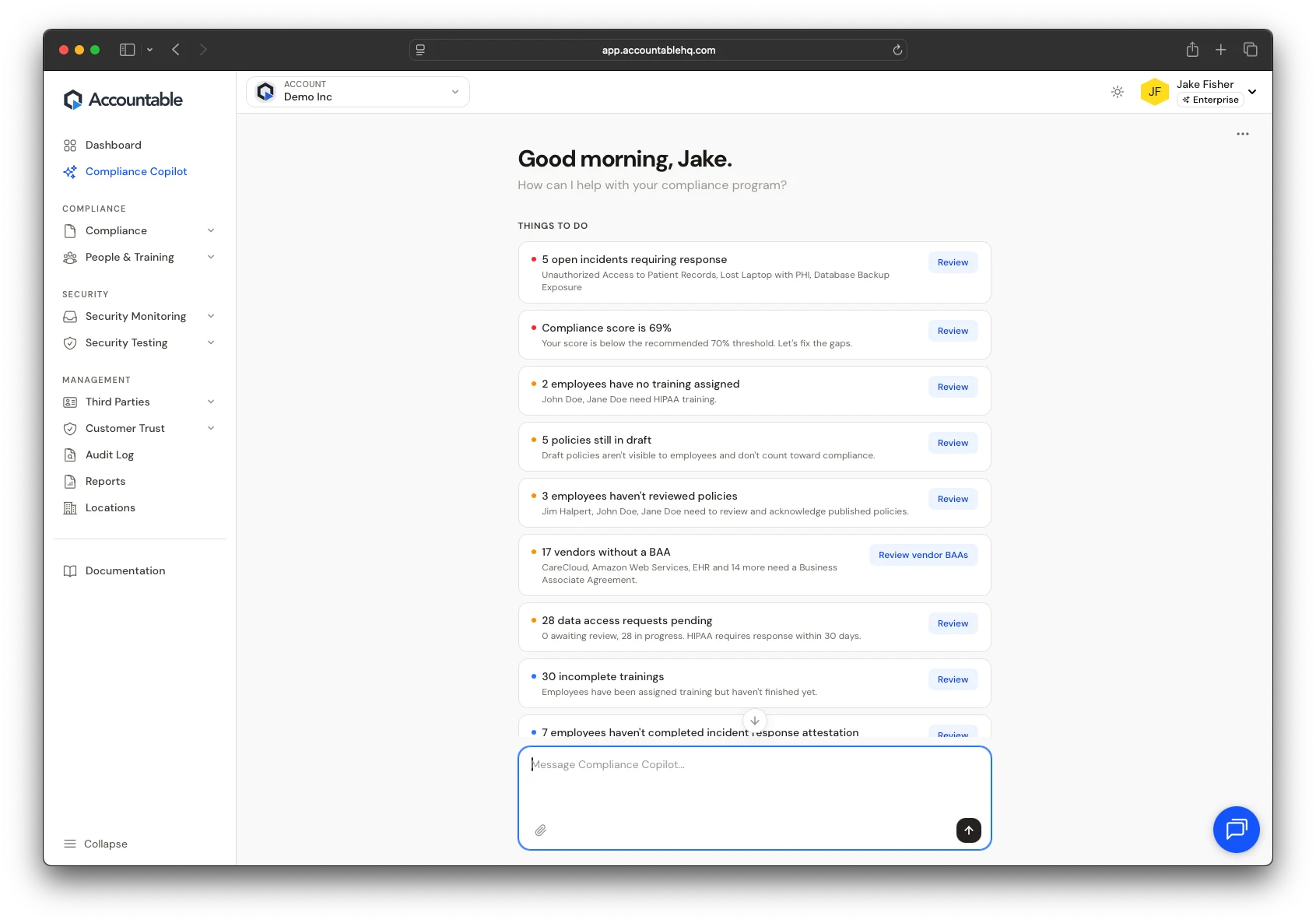
Copilot has its own dedicated section in the left sidebar, marked with a sparkles icon. Click <strong>Compliance Copilot</strong> to open a full chat interface where you can have extended conversations about any part of your compliance program.
When you first open an empty chat, Copilot surfaces suggested action cards based on your current compliance gaps — giving you a quick way to start on the highest-priority work.
What it can do for you
Copilot has access to over 90 tools across every area of the product. Here are some of the most common:
- Policies — Draft new organization-specific policies, edit existing ones, publish drafts, and send policy review reminders to your team.
- Risk Assessment — Suggest answers for your security risk assessment based on what it knows about your organization, flag gaps it can't answer.
- People & Training — Invite employees, assign and remind about training, offboard departing team members, assign roles like Privacy Officer.
- Vendors & BAAs — Add vendors, research their HIPAA stance and BAA availability via web search, send BAA requests for e-signature, mark BAAs as signed or not required.
- Incidents — Create and manage incidents, update status, resolve cases, request breach determinations (with human approval required).
- Remediation — Create remediation plans from assessment findings, assign items to owners with target dates, track progress to completion.
- Security — Create and send phishing simulation campaigns, run MFA checks, send enrollment reminders, run exclusion screening.
- Vendor Discovery — Scan connected identity providers for apps your team uses and flag potential vendors that should be in your inventory.
- Data Management — Manage your data inventory, generate data flow maps, handle data access requests.
- Reports — Generate compliance reports with your current score and evidence.
- Integrations — Connect Slack for notifications, set up Google Workspace or Microsoft 365 imports.
Humans stay in the loop
What it won't do
- Send breach notifications or BAAs externally without your explicit confirmation
- Sign documents on your behalf
- Make breach reportability decisions — it recommends, but a human must attest
- Make policy decisions that require organizational judgment — it will always ask
Approval workflows
For high-stakes actions, Copilot uses an approval workflow. When Copilot recommends something like a breach determination, it creates a formal approval request. An admin must approve or reject the request — with a 24-hour escalation timeline and 72-hour expiry to make sure nothing falls through the cracks.
Slack integration
Copilot can connect to Slack to send you compliance notifications, updates, and reminders right where your team already works. Configure this from the Copilot chat menu or ask Copilot to walk you through the setup.