Your organization profile is the foundation everything else points at — your policies, your BAAs, the addresses on your reports. Get this right once and most other things stay accurate by themselves.
Organization profile
Open Settings → Company to set:
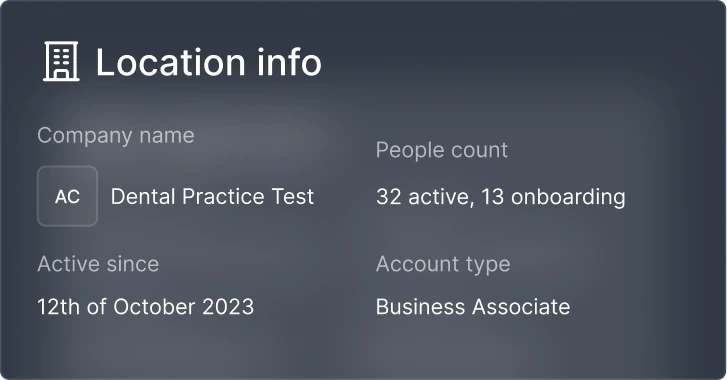
- Company name and logo (these appear on policies, BAAs, and reports)
- Primary business address
- Account type (Covered Entity or Business Associate)
- Privacy Officer designation
Privacy Officer
Settings → Roles or let Compliance Copilot help you set it up during onboarding.
Locations
Add every physical address that handles PHI — clinics, offices, satellite locations, and home offices for clinicians who see patients remotely. Open Locations from the Management section in the left sidebar. Locations show up on policies, breach notifications, and your compliance reports.
Multi-location organizations
If your team operates across multiple locations, you can assign employees to specific sites. That lets you scope incidents, training, and access reviews by location later.
People and roles
Add everyone who could touch PHI — full-time staff, part-time, contractors, and the bookkeeper who has read access to your billing system. Yes, contractors count.
Roles inside Accountable
- Admin — Full access to all features and settings. Typically the Privacy Officer or practice owner.
- Privacy Officer — Designated HIPAA privacy officer. Referenced in policies and compliance documentation. Can be the same person as an Admin.
- Employee — Completes assigned training, acknowledges policies, and participates in compliance workflows. The default for most team members.
- Subcontractor — For external contractors who need limited access. Still tracked for training and compliance purposes.
Custom roles can also be configured under Settings → Roles for more fine-grained permissions.
Import from Google Workspace or Microsoft 365
Settings → Integrations, you can import your team directly — and Accountable will help you track when someone leaves the directory but still has access to apps that handle PHI.